



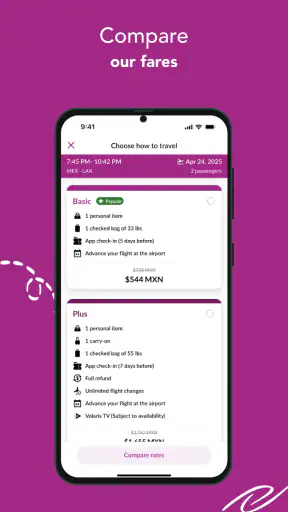
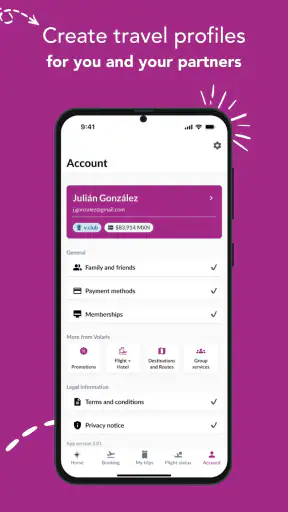
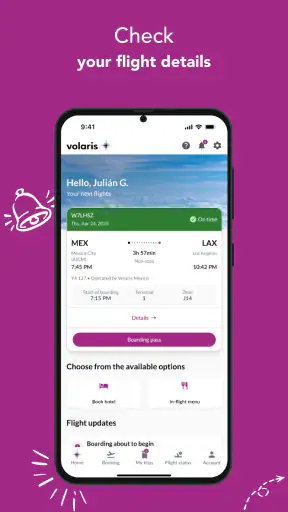
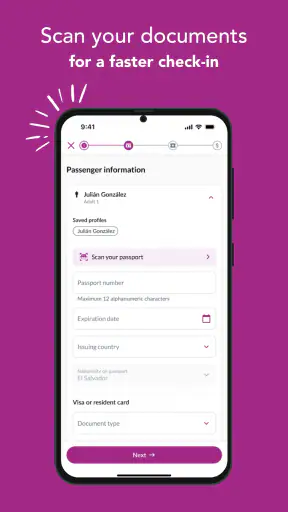
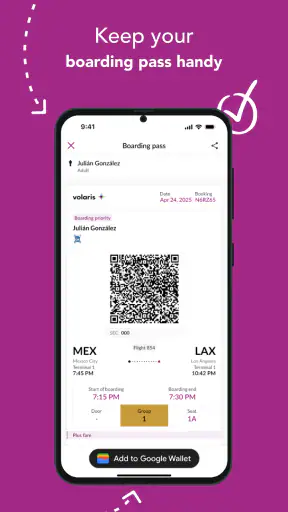
When I use an airline app, I am not looking for entertainment or a long list of extras. I want to complete a travel task without having to repeat it at the airport. Volaris is built around that practical need: it is a free Travel & Local app from Volaris that brings trip-related activity into one mobile place. I found its value easiest to judge during the moments when travel feels most rushed, especially while checking a reservation, preparing for departure, or trying to recover from a small interruption.
The app is available for everyone and requires Android 8.0 or later. It has reached over a million installs, with an average rating of 4.6 from around twenty thousand ratings and roughly one thousand four hundred written reviews. Those figures suggest that it is already a familiar companion for many Volaris passengers, but they do not remove the need to look at the less comfortable part of airline apps: when something fails, it can be difficult to tell whether the problem comes from the app, the booking, the phone, or the airline system behind it.
Getting past the first points of friction
The first mistake I would avoid is treating the application as a general travel planner. Its usefulness is tied to Volaris travel, so the smoothest experience begins when I already know which reservation I need to manage. If I open it while still comparing several airlines or building a broad itinerary, it is less useful than a neutral travel search tool. For a confirmed or nearly confirmed Volaris trip, however, having the airline’s own mobile channel can be more direct than moving between a browser, an email confirmation, and a separate wallet.
On first use, I would keep the booking information close by rather than relying on memory. A passenger can lose time by entering a name differently from the reservation or by switching between several confirmation messages. My practical approach is to read the travel document carefully, enter the requested details exactly as shown, and pause before submitting. This is a small habit, but it prevents a surprisingly common kind of confusion: assuming the app has lost a trip when the real issue is a mismatch in the information used to retrieve it.
Another useful check is to confirm that the phone is running a compatible Android release. The minimum requirement is Android 8.0, so an older device may be the reason installation or updating does not work as expected. I would also leave enough free storage for the installation and update process, then restart the phone if the store shows an incomplete download. These are ordinary checks, but they are more productive than repeatedly tapping the same install button.
My best setup tip is to prepare before the travel day, not while standing in a terminal. Install the current version, open the app on a stable connection, and locate the reservation in advance. The current version is 2.16.1, and keeping the app updated gives the phone the best chance of handling the latest available version of its travel workflow. I would then close and reopen it once, so I know whether the reservation can be reached without having to discover a problem during a rushed departure.
It is also worth deciding what the app is replacing in your personal routine. If I use it to keep track of a trip, I still retain the confirmation email and any important travel documents separately. That is not a criticism of Volaris; it is sensible travel preparation. A single app is convenient, but depending on one screen for every detail leaves little room for recovery if the phone battery dies, the connection drops, or the account session needs to be restored.
What to check before assuming the app is broken
When a screen does not load, I work through the simplest possibilities first. I check whether other apps can reach the internet, switch between a reliable Wi-Fi connection and mobile data when available, and reopen the Volaris app. If the problem affects only one screen, I avoid repeatedly changing unrelated settings. A temporary connection interruption can look very similar to a failed reservation search, and restarting the whole process may create more uncertainty rather than less.
I also check the phone’s date and time settings. Incorrect device time can interfere with sign-in and secure connections, even though the app itself may appear to be functioning. If the app closes unexpectedly, I restart the phone before attempting more invasive steps. Clearing app storage or reinstalling should be treated as a later option because those actions can remove locally retained session information and force me to begin the sign-in or reservation process again.
There is a practical distinction between an installation problem and a trip-management problem. If the app cannot be downloaded, I focus on the operating system, storage, and store connection. If it installs but cannot display a booking, I focus on the reservation details, connectivity, and whether the travel information is being entered exactly as required. Keeping those two situations separate makes troubleshooting faster and avoids blaming the wrong part of the process.
Recovering a disrupted workflow without starting over blindly
The most frustrating moment is often not a complete crash but an interrupted task. For example, I might open the app at home, begin checking a trip, lose the connection, and later see a screen that does not reflect what I expected. My instinct would be to close the app fully, reconnect, and reopen it before entering information again. If the same action still fails, I would try the task once more after confirming the reservation details, rather than making many rapid attempts that could leave me unsure about which step actually completed.
When a workflow appears to stop after a submission, I would first verify the result through the app’s visible trip information or the original travel communication before repeating the action. This is especially important for any step that could affect the status of a booking or produce a travel document. The goal is to establish whether the action failed or merely took time to appear. Repeating a completed action is rarely a good recovery method.
I find it helpful to separate “finding the trip” from “doing something with the trip.” If the reservation is not visible, I solve that retrieval issue first. If the reservation is visible but a later screen is unavailable, I treat it as a second problem. This simple two-stage approach prevents me from deleting and reinstalling the app when the real issue is limited to one part of the session.
Reinstallation can be useful when the application is repeatedly crashing or an update has not installed correctly, but I would not use it as the first response to every error. Before removing it, I make sure I can access the information needed to recover the booking and that I have a dependable connection for downloading it again. After reinstalling, I would test with one straightforward action first rather than trying to complete an entire travel workflow immediately.
For a time-sensitive issue, I would also keep a record of what happened: the screen I reached, the connection I was using, and whether the same problem appeared after reopening the app. That information is more useful when seeking help than a vague description such as “it does not work.” It also helps me decide whether the problem follows the account or only occurs on one device.
When the source of the problem is outside the app
An airline application is only one layer of a larger travel system. It can display and organize a trip, but it cannot make an airport connection faster, repair a mobile network, or change information that has not yet been updated in the airline’s underlying reservation system. If the app opens normally but a booking detail looks delayed or inconsistent, I would avoid assuming that reinstalling will correct it. The better response is to compare the screen with the original booking communication and use the airline’s official support route when the two do not agree.
The same applies when several passengers experience a similar interruption at the same time. A device-specific failure usually behaves differently from a broader service issue. If the app works on one network but not another, the connection is a more likely explanation. If it fails only on one phone while the same reservation can be reached elsewhere, the device or local app state deserves attention. These comparisons are simple, but they prevent unnecessary changes to a working setup.
I would not rely on the app alone for a complicated disruption involving missed connections, urgent changes, or a disagreement about travel documentation. In those situations, direct assistance may be more appropriate because a mobile screen cannot replace a conversation about an exceptional case. The app remains useful for checking the information already associated with the trip, but it should not be treated as a universal solution for every airline problem.
This is also where the app differs from broader travel alternatives. A browser can be easier when I am using a shared computer, need to print something, or prefer a larger screen for comparing details. A general travel app may be better for combining different airlines, hotels, maps, and independent bookings. Volaris is more focused: its advantage is keeping Volaris-related travel activity close at hand, while its limitation is that it is not a complete command center for a mixed-airline itinerary.
Everyday use cases where it earns a place on the phone
Imagine I am leaving early in the morning and want to check my trip before heading out. The useful workflow is not to wait until I reach the terminal, but to open the app the evening before, confirm that the reservation appears, and make sure I know where the relevant travel information is located. In the morning, I can use the phone as a quick reference instead of searching through an inbox while carrying luggage. That preparation is the real benefit; the app is most helpful when it reduces last-minute searching.
For a family trip, I would use the app as one part of a shared preparation routine. I can check the reservation on my own device, while keeping the booking communication available separately in case another traveler needs the details. This avoids a hidden weakness of many digital travel workflows: everyone assumes one person’s phone will always be available. The app can simplify access, but it does not remove the need for a backup plan when several people depend on the same traveler.
For a frequent Volaris passenger, the convenience becomes more noticeable because the same airline-specific process is repeated. Instead of learning a different interface for each trip, the passenger can return to the same app and the same general habit of checking the reservation before departure. That consistency matters more than decorative features. I would particularly value it when I have several travel tasks to handle and want the airline portion kept separate from maps, hotel messages, and unrelated notifications.
On the other hand, a traveler who flies multiple airlines should not expect this app to replace a broader itinerary manager. Using Volaris for the Volaris segment and a separate tool for the rest may be the cleaner arrangement. The trade-off is an extra app, but the information stays closer to its source. I prefer that division to forcing one general app to interpret every airline’s process in the same way.
The age rating of Everyone also makes the app approachable for a wide range of travelers, although ease of use still depends on the person’s comfort with mobile sign-in and reservation screens. Someone helping a less confident traveler may want to complete the initial setup together and explain where the trip information is kept. That is more useful than assuming an age rating automatically means every travel situation will be effortless.
What I like, and where I would set expectations
I like the app’s focused purpose. It does not ask me to turn a simple airline task into a larger travel project. When my journey is with Volaris, a dedicated app is usually more convenient than repeatedly opening a browser tab and searching through old messages. The fact that it is free also removes a barrier to trying it, particularly for a one-time passenger who wants a mobile way to keep the trip organized.
The strong average rating and large install base make it reasonable to consider, but I would not interpret popularity as a guarantee that every workflow will be smooth on every phone. Airline apps are especially sensitive to timing, connectivity, reservation details, and backend availability. A polished interface cannot eliminate those dependencies. My recommendation is therefore practical rather than absolute: use it, but test it before the day you need it and keep essential travel information available in another form.
One limitation is the narrow scope. If I want destination discovery, independent booking comparisons, a complete multi-airline itinerary, or a broad offline travel library, I would choose a different category of app. Volaris is better understood as an airline companion than as a general travel assistant. That distinction helps avoid disappointment and makes its strengths easier to appreciate.
Another limitation is that troubleshooting can feel opaque when the app does not clearly explain whether a failure comes from the phone, the connection, the reservation, or the airline service. My workaround is to use a short decision process: confirm the network, confirm the phone version, reopen the app, verify the reservation details, and compare the result with the original booking information. If the issue remains, I stop repeating the same action and seek direct support rather than treating endless retries as progress.
For readers deciding whether to install it, my answer depends on the itinerary. If Volaris is your airline and you want a dedicated mobile place for trip tasks, I think the app is worth having. If you are only researching destinations, coordinating several airlines, or managing a complex journey from a desktop, it may not be the best primary tool. In that case, use a broader planner and keep this app for the Volaris portion if and when you book it.
Volaris, developed by Volaris, is currently offered as a free app in the Travel & Local category, and version 2.16.1 supports Android 8.0 and newer. My final view is that its usefulness comes less from doing everything and more from doing one airline’s travel workflow in a place I can reach quickly. I recommend installing it before the trip, testing the reservation lookup early, and treating it as a convenient channel rather than your only backup. With that expectation, it can make ordinary preparation calmer while leaving room for a browser, saved documents, or direct assistance when the situation goes beyond a routine trip.


